-
Cetagory
Software & Applications
15 Must-Have Software Applications in 2027 That Could Transform Your Digital Life
- Admin
The best software applications in 2027 are not necessarily the newest or most popular ones. They are the tools that solve real problems, work well with your devices, protect your information, and fit your budget. A carefully chosen mix can make it easier to manage tasks, communicate, create, learn, and keep digital clutter under control.
This guide explores 15 useful applications and app categories to consider, from calendars and password managers to creative tools and privacy utilities. Availability, features, pricing, and platform support can change, so check each provider’s current documentation before choosing. The goal is not to install everything: it is to build a small, dependable set of tools around the way you actually live and work.
How to Choose Must-Have Software Applications in 2027
Before comparing individual tools, define the problems you want to solve. Someone coordinating a family schedule may need a shared calendar and secure document storage; a freelancer may prioritize project tracking, invoicing, and creative software. A long list of apps is not a productivity system unless the tools work together.
Start with a real need, not a trend
Write down recurring friction points: missed appointments, scattered notes, duplicate files, weak passwords, or difficulty focusing. Choose an application only when it addresses a specific problem you recognize. This simple test helps prevent installing a fashionable tool that duplicates features already available on your phone or computer.
Check compatibility, privacy, and accessibility
Review supported operating systems, browser access, offline availability, export options, accessibility settings, and the way an app handles personal data. For work or school, confirm that the tool is permitted and compatible with existing accounts. If you rely on a particular device or assistive technology, test the relevant features before moving important information into the app.
Understand the full cost
Some applications offer useful free plans, while others charge for storage, collaboration, advanced features, or additional devices. Compare the total cost over a year, including optional upgrades and overlapping subscriptions. A paid plan can be worthwhile when it provides a clear benefit, but paying for features you do not use is not an upgrade to your digital life.
15 Software Applications and App Categories to Consider
The following selection covers common digital needs rather than ranking products or claiming that one brand is best for everyone. Product availability and feature sets may vary by country, platform, and plan. Check current product information and privacy terms before committing.
1. A calendar app for appointments and shared schedules
A reliable calendar provides a single view of appointments, deadlines, and recurring commitments. Most major phone and computer platforms include a calendar; dedicated services may add shared calendars, meeting links, or integrations. Choose one primary calendar and make sure important events appear consistently across your devices.
Use separate calendars or labels for categories such as work, personal commitments, and family schedules, if that makes the view clearer. Add a location or video-conference link when it helps, and set reminders according to the action required. Avoid creating so many alerts that you begin ignoring all of them.
2. A task manager for turning plans into actions
Task managers help capture and organize actions that might otherwise stay in your head. A useful app should make it easy to add a task, assign a due date when necessary, and review what is next. Lists, priorities, recurring tasks, and subtasks can help, but a complicated system is not automatically more effective.
Try a simple workflow: capture tasks as they arise, sort them into a few meaningful lists, and review those lists regularly. Reserve calendar time for work that needs a specific time slot; use a task list for actions that can be completed flexibly. This distinction reduces the temptation to fill every calendar hour with reminders.
3. A notes app for ideas and reference material
A notes application can keep meeting notes, checklists, recipes, research, and personal reference material searchable in one place. Consider whether you need plain text, handwriting, voice notes, attachments, shared editing, or offline access. Search quality and straightforward export may matter more than a long list of advanced features.
Establish a small set of notebooks, folders, or tags rather than designing an elaborate filing system before you have enough notes to understand your needs. Use consistent titles for important records, and avoid storing sensitive information in a general notes app unless its security and account protections are appropriate for that purpose.
4. A password manager for unique, stronger logins
A password manager stores and helps generate distinct passwords for different accounts. Reusing a password increases risk because a compromised login may be tried on other services. A manager can make unique credentials easier to use, while many also support secure sharing or passkeys, depending on the provider and platform.
Choose a reputable service or built-in password manager, secure its account with a strong master credential and available multifactor authentication, and keep recovery information somewhere safe. Learn how account recovery works before depending on the tool. Never share passwords through an unsecured message when a manager offers a safer sharing option.
5. An authenticator app for multifactor security
Multifactor authentication adds a second verification step to a sign-in, making a stolen password less useful by itself. Depending on the service, the second factor might be an authenticator-app code, a security key, a passkey, or another approved method. Turn it on for important accounts, especially email and financial services, wherever the provider supports it.
Save recovery codes in a secure place and understand how to regain access if a phone is lost or replaced. An authenticator app is not a substitute for a strong, unique password, and no method eliminates every account risk. Follow the account provider’s instructions because recovery options differ.
6. A cloud storage service for files across devices
Cloud storage can synchronize documents and other files between devices, support sharing, and provide a backup route if a device is lost. Compare storage limits, file recovery, collaboration, device support, and privacy controls. Synchronization is convenient, but it can also synchronize unwanted changes or deletions, so it is not identical to an independent backup.
Organize files with a small number of clear folders, use descriptive filenames, and review sharing permissions before sending a link. Keep a separate backup of irreplaceable files when appropriate, especially if a cloud account is the only place they exist. Check whether the service supports version history and how long deleted files can be restored.
7. A secure messaging app for everyday communication
A messaging app can make conversations easier across personal, family, and work groups. Useful features may include group chats, voice or video calls, file sharing, and end-to-end encryption for certain conversation types. Encryption details differ among services and features; check the provider’s documentation rather than assuming every message or backup receives identical protection.
Choose an app that the people you need to contact can use and that suits the sensitivity of your conversations. Review group membership, linked devices, backup settings, and notification previews. For work, follow organizational policies instead of moving confidential discussions to a personal account without permission.
8. A video meeting application for remote conversations
Video meeting software supports remote work, classes, consultations, and conversations with people who live far away. Before choosing a service, check participant limits, accessibility features such as captions, call controls, calendar integration, and whether guests can join without creating an account.
For a smoother meeting, test your microphone and camera, use headphones when practical, and share only the window or document needed. Review recording and transcription settings before a call, particularly when other people are present. Local laws and organizational rules may govern recording, so obtain appropriate consent and follow applicable requirements.
9. A writing and document editor for everyday work
A document editor is useful for letters, reports, plans, forms, and collaborative writing. Compare compatibility with common file formats, offline editing, commenting, revision history, accessibility tools, and collaboration controls. If you exchange files with other people, compatibility can matter more than a specialized feature available only in one ecosystem.
Use templates for documents you create repeatedly, but check that the formatting remains readable when exported or opened elsewhere. For collaborative work, name files clearly and agree on how edits will be reviewed. Keep a copy of important documents in a location you control and can access if a service is unavailable.
10. An email app that helps manage communication
Email remains central to many personal and professional tasks, but a good email app should make messages easier to find and act on rather than simply adding more notifications. Look for reliable search, useful filters, spam controls, account compatibility, and clear privacy settings. Consider whether you want one inbox for several accounts or separate views.
Use folders or labels only when they help retrieve information. Unsubscribe from unwanted newsletters through legitimate methods, and be cautious with links or attachments you did not expect. Email providers vary in how they process content and metadata; review their privacy information if that affects your choice.
11. A focus timer or distraction-management tool
Focus tools can support concentrated work by timing sessions, limiting selected distractions, or helping you build a short routine. Some people prefer a simple timer; others benefit from website or app blocking. These tools work best when they support a realistic plan rather than attempting to eliminate every interruption.
Choose a session length that suits the task and your schedule, then take breaks when needed. Make sure essential contacts, accessibility tools, and work applications remain available. If interruptions are caused by workload or unclear priorities, blocking software alone will not resolve the underlying issue.
12. A PDF reader and document-signing tool
A PDF app can help you read, annotate, organize, and sometimes sign documents. Before using a signing feature, check what type of signature it creates and whether the recipient or relevant process accepts it. Legal rules for electronic signatures vary by jurisdiction and document type, so an app’s feature description does not establish that a particular signature is legally sufficient.
For sensitive documents, verify the recipient and review sharing settings before uploading or sending a file. Use annotations carefully when sharing a document that contains personal details, and confirm that redacted text is actually removed rather than merely covered visually. For important legal or financial paperwork, follow the instructions of the organization requesting the document.
13. A creative application for images, video, or design
Creative software ranges from basic photo editing and presentation design to advanced illustration, audio, and video production. Start with the type of work you intend to make, then consider learning curve, device performance, file formats, collaboration, and licensing terms. Built-in tools may be enough for occasional edits, while frequent projects may justify a more capable application.
Keep original files when possible and make a copy before applying destructive edits. For shared or commercial projects, review the licenses for fonts, templates, stock assets, and other included materials. Export a version suited to its destination, since a file optimized for social media, print, and archiving may require different settings.
14. A language-learning or study application
Learning apps can provide structured lessons, quizzes, flashcards, practice reminders, and progress tracking. Choose one that supports your learning goal and offers explanations or exercises at a suitable level. Short, regular sessions can be easier to maintain than occasional marathon sessions, but app activity alone does not prove mastery.
For language learning, combine app practice with listening, reading, writing, or conversation. For academic subjects, check whether explanations are accurate and suitable for your course. Treat automated feedback as a learning aid, and consult authoritative materials or an instructor when an answer affects important coursework.
15. A privacy and device-maintenance utility
Privacy tools may include a browser with tracking protections, a reputable virtual private network, a system security utility, or controls built into your operating system. These tools address different risks. For example, a VPN routes network traffic through a provider but does not make a user anonymous or protect against every kind of tracking, phishing, or malware.
Keep your operating system and applications updated, review app permissions, and remove software you no longer use. Use security tools from trustworthy providers and avoid apps that make sweeping claims about guaranteed protection. If an employer or school manages your device, check its policies before installing network or monitoring tools.
Build a Practical App Stack Without Creating Digital Clutter
A useful app stack is a small collection of tools that work together. You might use one calendar, one task manager, one notes system, one password manager, and the communication or creative software required by your responsibilities. More tools can be appropriate, but each should have a clear role and a way to move or export important information.
Use this five-step setup process
- List your recurring problems. Identify what you want to improve, such as file organization or missed deadlines.
- Choose the simplest suitable tool. Compare built-in options with dedicated apps before adding another service.
- Test it with low-risk information. Try ordinary tasks before importing private or essential data.
- Set up security and recovery. Review authentication, backups, privacy settings, and account recovery options.
- Review after a trial period. Keep the app if it helps; cancel or remove it if it adds friction without meaningful value.
Make integrations deliberate
Connections between a calendar, task manager, email service, and cloud drive can reduce repeated work. They can also grant one service access to another account. Review permissions when linking tools, choose the minimum access needed, and revoke connections you no longer use.
Plan for portability and service changes
Before a tool becomes the only home for important data, find out whether you can export it in a useful format. Check what happens if you cancel a subscription, lose access to an account, or move to a different platform. Keep records of recovery methods and maintain independent copies of information that would be difficult to replace.
Common Mistakes When Choosing Software
Installing multiple apps for the same job
Several overlapping tools can scatter notes and tasks, create duplicate notifications, and make it unclear where the latest information lives. Choose one primary home for each category and define exceptions only when there is a clear reason. Remove old apps only after confirming that their data has been transferred or preserved.
Confusing synchronization with backup
Synchronization keeps selected files aligned across devices, which is useful but can also copy deletions or unwanted edits. A backup is a separate recovery copy designed to help restore data after a problem. Understand what your provider retains, how version history works, and what additional backup arrangements your important files need.
Ignoring renewal dates and unused subscriptions
Free trials and monthly plans can become recurring expenses. Keep a simple list of paid services, renewal dates, and the reason each subscription is useful. Before a trial ends, decide whether you will keep it and review the cancellation process in advance.
Overlooking permissions and account recovery
An app may request access to contacts, files, location, or other information it does not need for the task you want to perform. Review permissions and limit access where the operating system allows it. Also check recovery options for important accounts; security settings are less helpful if you cannot regain access after losing a device.
Quick Comparison: Which App Category Solves Which Problem?
| Need | Useful category | What to compare |
|---|---|---|
| Remember commitments | Calendar | Sharing, reminders, device support |
| Organize actions | Task manager | Ease of capture, recurring tasks, review |
| Secure account access | Password manager and multifactor authentication | Recovery, platform support, security options |
| Work with files across devices | Cloud storage | Storage, sharing controls, version history |
| Create or edit content | Creative application | File formats, learning curve, licensing |
Conclusion
The most useful software applications in 2027 are the ones that make recurring parts of your digital life simpler without creating new problems. A calendar, task manager, notes app, secure password system, cloud storage, and communication tools can form a practical foundation; creative, learning, focus, and privacy applications can fill specific needs.
Start with one friction point, compare a few suitable options, and test a tool before moving important data into it. Review privacy, security, accessibility, compatibility, cost, and export options—not just the feature list. A smaller, well-maintained app stack is often more useful than a crowded device full of tools you rarely open.
Frequently Asked Questions
What software applications should most people consider first?
Start with tools for needs you encounter regularly: a calendar, a task or notes app, secure password storage, and a reliable way to back up important files. Many devices already include capable options. Add dedicated software only if it improves a specific task, supports your devices, and fits your privacy and budget requirements.
Are free software applications good enough for everyday use?
Often, yes. Free plans or built-in apps may cover everyday calendars, notes, documents, and basic editing. Check their feature limits, privacy terms, storage restrictions, and export options. A paid plan may be useful when you need specific capabilities or support, but paying does not automatically make an application more secure or suitable.
How many productivity apps should I use?
There is no ideal number. Use enough tools to handle distinct needs, but avoid maintaining multiple competing calendars, note systems, or task lists without a clear purpose. If information is hard to find or you routinely ignore notifications, simplify the setup. A brief review every few months can reveal apps you no longer need.
How can I tell whether an app is safe to install?
Use an official app store or the provider’s verified website, check the developer identity and permissions, and review the privacy information. Keep the app updated and use a unique password for its account. No single check guarantees safety, so be cautious with unexpected downloads, broad security promises, and requests for information that does not fit the app’s purpose.
Should I choose one ecosystem or mix software from different providers?
Either approach can work. A single ecosystem may make synchronization and setup easier, while mixing providers can give you features that better fit particular needs. Compare cross-platform support, data portability, account dependencies, and privacy practices. Test important workflows across your devices before relying on integrations or moving your main records.
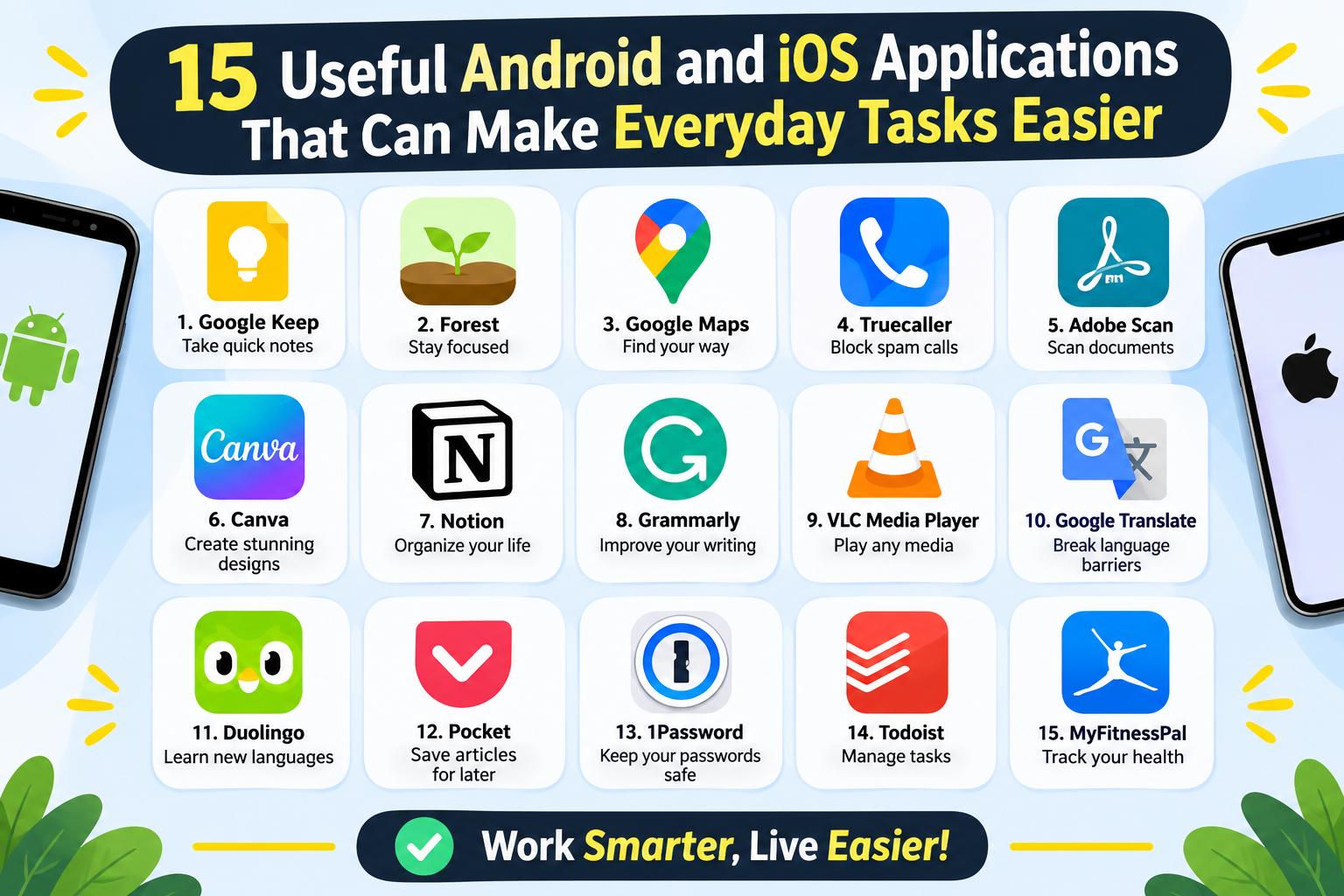
- 15 Useful Android and iOS Applications That Can Make Everyday Tasks Easier
-
 Health - 11:01:50pm 15-11-2026
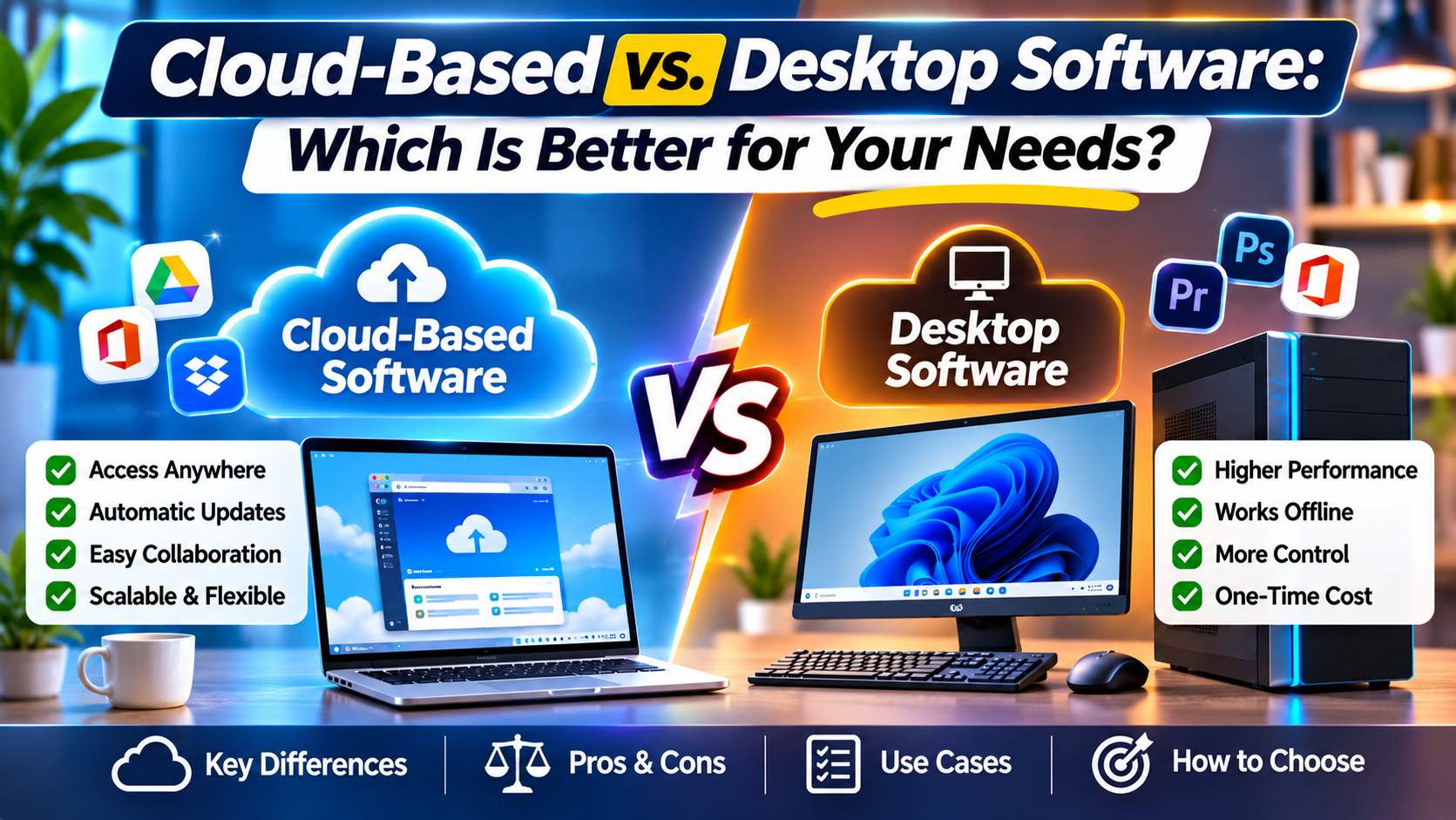
- Cloud-Based vs. Desktop Software: Which Is Better for Your Needs?
-
Health - 10:58:07pm 15-11-2026
-
 Blog
What Is the Best Cheap Car Insurance for Young Drivers
-
 Blog
Best Car Insurance for Electric Vehicles (EVs): Complete Guide for 2026
-
 Blog
Long Term Car Rental Discounts: The Complete Guide to Saving Big on Extended Rentals
-
 Blog
Health Insurance Exclusions: What to Check Before You Buy
-
 Blog
Health Insurance Waiting Period: What You Should Know Before Buying a Policy