-
Cetagory
Software & Applications
Best Software for Small Businesses in 2026: Tools Worth Considering
- Admin
The best software for small businesses in 2026 is not one universal product or a stack of the most popular apps. It is a practical set of tools that helps your team manage money, communicate with customers, deliver work, and protect business information without adding unnecessary cost or complexity. The right choices depend on your industry, location, team size, existing systems, and the work you need to improve.
This guide explains the software categories worth considering, how to evaluate representative products, and how to avoid common selection mistakes. Product features, pricing, integrations, and availability can change, so treat vendor examples as a shortlist for evaluation rather than a guarantee that a particular plan is right for your business.
What small-business software should accomplish
Small-business software is a broad term for applications that support routine business operations, such as bookkeeping, sales, customer service, scheduling, collaboration, and cybersecurity. Some tools are designed for a single task; others combine several functions in one platform. The goal is not to digitize every process. It is to make important work more accurate, visible, and manageable.
A useful tool should solve a specific problem, fit the way your business works, and be maintainable by the people who use it. For example, an appointment-based service may gain more from dependable online booking and reminders than from a complex enterprise resource planning system. A small retailer may prioritize inventory and point-of-sale integration, while a consultant may need project tracking, invoicing, and secure document sharing.
Start with the work, not the product list
Write down recurring tasks that consume time or create avoidable errors. These may include entering receipts, following up on leads, preparing quotes, coordinating staff schedules, or finding the latest version of a document. Describe the current process and the outcome you want before researching products.
This makes comparisons more useful. Instead of asking whether an application has artificial intelligence, ask whether it can reliably reduce a particular manual step, whether someone will review its output, and whether the data involved can be handled appropriately.
Best software for small businesses in 2026: the core categories
Most small businesses do not need every category below. Use this list to identify operational gaps, then choose tools based on the requirements that matter most to your business.
1. Accounting and bookkeeping software
Accounting software helps record income and expenses, reconcile transactions, organize invoices, and prepare reports. Depending on the product and plan, it may also support estimates, bills, inventory, payroll connections, or tax-related workflows. Examples commonly considered by small businesses include QuickBooks Online, Xero, and FreshBooks.
Compare the accounting method and reporting features your accountant expects, the number of users included, bank-feed coverage in your country, invoice requirements, and available integrations. A freelancer with straightforward income may value easy invoicing, while a product business may need inventory and cost-of-goods tracking. Do not assume that software alone determines how a transaction should be classified or what tax treatment applies.
Before connecting a financial account, review the provider’s security practices and permissions. Reconcile records regularly, keep supporting documents, and confirm local bookkeeping and tax requirements with a qualified professional when needed.
2. Invoicing, payments, and point-of-sale tools
Payment tools help a business collect money through invoices, online checkout, or in-person transactions. Stripe and Square are examples of providers with payment-related products, while accounting and commerce platforms may offer their own payment integrations. Availability, supported payment methods, fees, and terms vary by location and product.
Compare the full cost of accepting payments, not just a headline rate. Check transaction fees, currency conversion, chargeback processes, payout timing, hardware needs, and whether payments reconcile cleanly with your accounting system. A shop selling in person may need a point-of-sale system that tracks stock, while a consultant may need payment links and recurring invoices.
Payment services do not remove the need to protect customer data or follow applicable rules. Collect only the information required, use supported payment flows, and understand the provider’s responsibilities and yours before launch.
3. Customer relationship management software
Customer relationship management, or CRM, software organizes information about leads, customers, sales conversations, and follow-up tasks. It can help a team see who owns an opportunity and what should happen next. HubSpot CRM, Zoho CRM, and Pipedrive are examples that businesses may compare, but their functions and plans differ.
A CRM is most useful when your team has a repeatable sales or relationship process. Define the stages a lead moves through, the information staff genuinely need, and who is responsible for keeping records current. Avoid creating dozens of fields or pipeline stages that nobody maintains.
Check how the CRM handles contact imports, duplicate records, permissions, email connections, and data export. A small team may be better served by a simple system that is consistently used than a feature-rich platform that requires extensive administration.
4. Email, calendars, and productivity suites
Business email and productivity suites typically combine email, calendars, document editing, file storage, and collaboration features. Google Workspace and Microsoft 365 are widely used examples. The right choice often depends on the tools your customers and employees already use, the way you manage files, and the administrative controls required.
Evaluate custom-domain email, shared calendars, storage limits, collaboration, account recovery, multi-factor authentication, and administrator controls. Also decide where business documents belong and how access should be removed when a staff member leaves. A tidy structure and clear ownership are more valuable than simply paying for additional storage.
5. Team messaging and video meetings
Messaging and meeting tools help distributed or multi-location teams coordinate. Slack, Microsoft Teams, and Zoom are examples with different combinations of chat, meetings, and collaboration features. Before adding another communication app, consider whether your existing productivity suite already covers the need.
Set expectations for where decisions are recorded, which messages require a response, and when a meeting is preferable to an asynchronous update. Messaging can make coordination faster, but important procedures and decisions should not disappear into unsearchable conversations.
6. Project and task management
Project management software makes assignments, deadlines, dependencies, and progress easier to see. Asana, Trello, Monday.com, and ClickUp are examples businesses may evaluate. A lightweight task board can be enough for a small team; a business managing complex projects may need workload views, time tracking, or more detailed reporting.
Start with one real workflow, such as onboarding a client or preparing a monthly campaign. Test whether the tool makes ownership and next steps clearer. If team members must duplicate information across several boards, the setup may be too complicated or poorly integrated.
7. E-commerce and website platforms
An e-commerce platform supports online product listings, checkout, order management, and, in some cases, inventory or shipping integrations. Shopify and WooCommerce are common examples with different approaches: Shopify is a hosted commerce platform, while WooCommerce is an e-commerce extension for WordPress that requires attention to hosting and site maintenance.
Compare the total operating requirements, including payment processing, themes or extensions, hosting, backups, updates, accessibility, shipping, and customer support. A platform’s advertised starting price may not represent the complete cost of running the store. Check that it supports the sales channels and local payment methods you actually use.
For a service business, a clear website with contact or booking options may be more useful than a full online store. Choose the least complex setup that supports the customer journey and can be maintained reliably.
8. Scheduling, booking, and workforce management
Scheduling tools can help service businesses publish availability, accept appointments, send reminders, and coordinate staff calendars. Examples include Calendly for appointment scheduling and tools such as Homebase for certain employee scheduling workflows. Features and regional availability vary, so confirm that a product fits your business model and local requirements.
Look for calendar synchronization, time-zone handling, cancellation rules, staff permissions, and ways to manage no-shows. If the software stores customer details, assess access controls and retention settings. Employee scheduling may also intersect with local labor rules; software settings do not replace compliance advice.
9. Payroll and human resources
Payroll software can help calculate pay, manage employee information, and produce payroll records. Providers such as Gusto, ADP, and Paychex serve different markets and business needs, and availability varies by country. Some accounting platforms connect to payroll products rather than providing every function themselves.
Payroll is especially sensitive to jurisdiction. Before choosing a provider, confirm support for the locations where employees work, required filings, benefits administration, contractor workflows, and the division of responsibility between your business and the provider. Verify important payroll results and maintain appropriate records.
10. Customer support and help-desk software
Support software collects customer requests and helps teams track responses. Depending on the business, a shared inbox may be enough; a larger volume of inquiries may justify a help desk such as Zendesk or Freshdesk. Consider whether you need ticket assignment, response history, a knowledge base, or reporting.
Use a support system to make service more consistent, not to hide how customers can reach you. Keep contact routes clear, define who handles urgent issues, and avoid automated replies that promise a resolution before anyone has reviewed the request.
11. File storage, backup, and document signing
Cloud storage tools help teams share documents and collaborate, while backup products create recoverable copies of important data. These are different purposes: synchronization can spread a deletion or unwanted change across devices, so syncing alone should not be treated as a complete backup strategy.
Choose storage with sensible permissions, account recovery, version history, and export options. Establish who owns business files, how long they are retained, and how backups are tested. If you use electronic signatures, check that the provider and workflow meet the needs of the transaction and applicable local rules.
12. Cybersecurity and password management
Security software is only one part of protecting a small business. Use unique passwords, multi-factor authentication where available, timely software updates, limited user permissions, and a plan for recovering access. A password manager can help staff avoid reusing credentials; endpoint protection and email security may also be appropriate depending on risk.
Check whether a provider supports administrator controls, audit information, secure account recovery, and clear procedures for lost devices or departing staff. Do not assume that a cloud vendor automatically handles every security responsibility. Your business still needs to manage its users, devices, data, and configuration.
13. Automation and artificial-intelligence features
Automation can move information between systems or trigger routine actions, while artificial-intelligence features may summarize, draft, classify, or analyze content. Tools such as Zapier and Make are examples of services used to connect applications; individual platforms also offer built-in automation.
Start with a repetitive, low-risk task and map what happens when the automation fails, receives incomplete data, or runs twice. For AI-generated content or decisions, define what staff must verify before using the result. Avoid sending confidential, personal, financial, or regulated information to a tool unless the provider’s terms and your organization’s policies permit it.
How to choose software for a small business
A disciplined selection process prevents an appealing demonstration from turning into an expensive system that does not fit. Use the following steps before committing to a long contract or moving important records.
Step 1: Define the problem and success measure
Describe the task that needs improvement in plain language. For example: “We need to reduce missed appointment follow-ups,” or “We need one reliable view of unpaid invoices.” Set a measurable outcome where practical, such as fewer manual handoffs or faster access to a report. Do not begin with a vendor feature list.
Step 2: Map the current workflow
Record who does the work, what information they use, which systems are involved, and where delays or errors occur. Include exceptions, such as refunds, cancellations, or a customer with multiple contacts. This helps reveal whether software can solve the problem or whether the process itself needs to be simplified first.
Step 3: Separate must-haves from preferences
Identify requirements that could rule out a product: country support, accessibility, particular integrations, data export, user permissions, or industry-specific needs. Then list preferences such as a familiar interface or a particular dashboard. This keeps a polished demo from outweighing a critical operational requirement.
Step 4: Compare total cost and commitment
Include subscription charges, setup, migration, training, add-ons, payment processing, support, and staff time. Check billing periods, renewal terms, cancellation procedures, user limits, and what happens to data when you leave. Prices and plans change, so verify the current offer directly with the provider before budgeting.
Step 5: Test with real tasks and realistic data
Use a trial or demonstration to complete the work your team actually performs. Test a normal case and at least one exception. For example, a booking system should be tested with rescheduling and a cancellation, while accounting software should be assessed against realistic invoices and bank transactions using appropriate test or protected data.
Step 6: Check integrations and data portability
Confirm which systems connect directly, whether the connection is included, and how often data syncs. Ask what information transfers, how errors are reported, and who supports the connection. Before adopting a product, find out how to export your records in a usable format and whether attachments or history are included.
Step 7: Assign ownership and plan training
Choose a person responsible for configuration, access reviews, and vendor communication. Explain the new process to affected staff and provide short instructions for common tasks. Adoption is more likely when the tool removes friction and the team understands where information should be entered.
Comparison: what to evaluate in common software categories
The table below is a decision aid, not a product ranking. Choose criteria that match your requirements, then verify features and terms with each provider.
| Category | Main job | Key evaluation points |
|---|---|---|
| Accounting | Track transactions and prepare reports | Local support, accountant workflow, reconciliation, export |
| CRM | Organize leads and customer follow-up | Ease of use, permissions, imports, pipeline flexibility |
| Project management | Coordinate work and deadlines | Ownership, visibility, integrations, reporting needs |
| E-commerce | Manage online sales and orders | Total cost, checkout, inventory, maintenance, portability |
| Payroll | Process employee pay and records | Jurisdiction coverage, filings, support, responsibility split |
| Security | Reduce account and data risks | Multi-factor authentication, administration, recovery, auditability |
Should you choose an all-in-one platform or separate apps?
An all-in-one platform can reduce the number of vendors and provide a more unified view of certain activities. It may suit a business whose needs are straightforward and whose workflows fit the platform’s assumptions. The trade-off is that a bundled product may be less capable in a specialized area or harder to replace later.
Separate applications can offer stronger features for individual tasks, but they create more accounts, bills, integrations, and places to manage permissions. Data may not move cleanly between systems. A practical approach is to use a small core suite for common needs and add specialist tools only when a clear requirement justifies them.
A simple example
A two-person design consultancy might use a productivity suite for email and files, accounting software for invoices and records, a project tool for client work, and a booking link for introductory calls. It may not need a separate CRM if a small, well-maintained contact list and a simple process are sufficient.
A local repair business may instead prioritize scheduling, job tracking, customer communication, payment collection, and employee calendars. The best combination depends on whether those systems share the details staff need without requiring repeated data entry.
Common software-selection mistakes
Buying more features than the team will use
Complex plans can appear future-proof, but unused features still cost money and may make everyday tasks harder. Select for current needs and a plausible near-term direction, then reassess when the business reaches a real operational limit.
Choosing based only on the monthly subscription
The base price may exclude extra users, integrations, processing fees, onboarding, or support. Compare the likely total cost over the period you expect to use the software, including time spent maintaining it.
Ignoring migration and exit plans
Moving records can take time, and leaving a service may be difficult if your data is trapped in a proprietary format. Keep a migration checklist, understand export options before sign-up, and retain appropriate backups during a transition.
Adding automation before fixing the process
Automation can make a broken workflow fail faster or at a larger scale. Clarify the correct process first, assign an owner, and monitor early runs. Keep a way to identify and correct incorrect or duplicated records.
Giving every user excessive access
Convenience can lead to shared logins or broad permissions, making it harder to trace changes and limit exposure. Give each person an individual account where possible, grant access according to their role, and remove it promptly when it is no longer needed.
Failing to review vendor terms and support
Understand where to get help, which support channels are included, how incidents are communicated, and what the provider says about data handling and retention. For critical operations, consider what your business will do during an outage and how it can continue essential work.
Building a manageable software stack on a budget
Start with the smallest set of tools that supports essential operations. A new business might need business email, bookkeeping, payment collection, and a secure way to store documents before it needs advanced analytics or complex automation. The precise baseline depends on the business and local obligations.
Use trials carefully. Set a decision date, test predefined tasks, and avoid entering sensitive live data unless you have reviewed the service and configured it appropriately. Cancel trials you do not plan to keep, and check whether a lower-cost plan already covers the required features.
Review software periodically rather than adding tools in response to every inconvenience. Ask whether the team uses each service, whether it duplicates another system, and whether the value is worth its direct and administrative cost. Keep a simple inventory of products, owners, renewal dates, and data they hold.
Data security, privacy, and accessibility checks
Software choices affect customer, employee, and financial information. Review the provider’s security documentation, access controls, authentication options, data-export process, and incident communication practices. The appropriate checks depend on the sensitivity of the data and the consequences of losing access.
Privacy and data-protection rules vary by country and by the kind of information a business handles. A tool that is suitable in one jurisdiction or industry may not meet another organization’s requirements. Identify where information is collected, who can access it, how long it is retained, and what obligations apply; seek qualified legal or security advice for higher-risk situations.
Accessibility matters for employees and customers. Test everyday workflows with the devices and assistive features people use, and ask vendors about accessibility information where it is relevant. A system that is difficult for staff or customers to use can undermine the value of its other features.
How to plan a software rollout
- Choose a limited first use. Start with one team, location, or workflow rather than changing everything at once.
- Clean and map the data. Remove obvious duplicates, identify required fields, and decide which records should move.
- Configure access and defaults. Set roles, authentication, notifications, and basic workflows before inviting the full team.
- Train around real tasks. Show staff how to complete frequent work and where to get help, not just where buttons are located.
- Check the results. After launch, review errors, adoption, support requests, and the success measure defined at the start.
- Keep an exit path. Document how to export data, transfer ownership, and maintain essential operations if the product is replaced.
For a small team, a rollout can be informal, but it should still have a named owner and a way to report problems. A few days of careful testing may prevent recurring mistakes that become harder to correct after a system is widely adopted.
When to replace or consolidate software
Consider a change when the current product no longer supports a required workflow, creates repeated manual work, lacks controls your business needs, or costs more than its value justifies. A tool becoming unfamiliar or having a newly announced feature is not, by itself, a reason to migrate.
Before replacing software, identify dependencies, export records, check contract terms, plan staff training, and decide how long both systems need to run in parallel. Reconcile important data after migration and confirm that users can access the information they need. For accounting, payroll, or regulated records, coordinate with the appropriate professional before changing systems.
Frequently Asked Questions
What is the most important software for a small business?
There is no single answer for every business. Many need reliable accounting or bookkeeping, business communication, secure file access, and a way to accept payment, but the priority depends on the work and local requirements. Choose the tool that addresses the most consequential current problem, then add other categories when a clear need arises.
What software should a new small business start with?
Begin with tools that support essential operations: communication, financial records, document storage, and customer transactions. A service business may also need booking or project tracking; a retailer may need inventory and point-of-sale functions. Confirm what is required in your location, keep the initial setup simple, and avoid paying for advanced features before the team needs them.
Is an all-in-one business platform better than separate apps?
An all-in-one platform can simplify administration and keep related records together, especially when needs are basic. Separate apps may offer better specialist functions but can add integration and account-management work. Compare how well each option supports your actual workflow, what data can be exported, and the total cost rather than assuming one approach is always superior.
How much should a small business spend on software?
There is no universal budget because costs depend on users, features, payment activity, location, and support needs. Include setup, training, add-ons, processing fees, and staff time when comparing options. Set a budget tied to the problem being solved, verify current prices with vendors, and review whether the tool delivers enough practical value to keep.
How can a small business choose secure software?
Review authentication, user permissions, account recovery, data export, retention information, and the provider’s security documentation. Use unique accounts, enable multi-factor authentication where available, and limit access to what each person needs. Requirements differ by industry and location, so obtain qualified security or legal advice when sensitive or regulated information is involved.
Conclusion
The best software for small businesses in 2026 is a well-matched toolkit, not the longest list of subscriptions. Start by identifying a real operational problem, define what success looks like, and compare products against must-have requirements, total cost, integrations, security, and data portability.
Test promising options with realistic tasks, assign an owner, and introduce changes in manageable stages. Review the stack as your business grows, but keep every tool tied to a clear purpose. A small, secure, well-maintained set of applications is often more useful than a complicated collection that no one has time to manage.
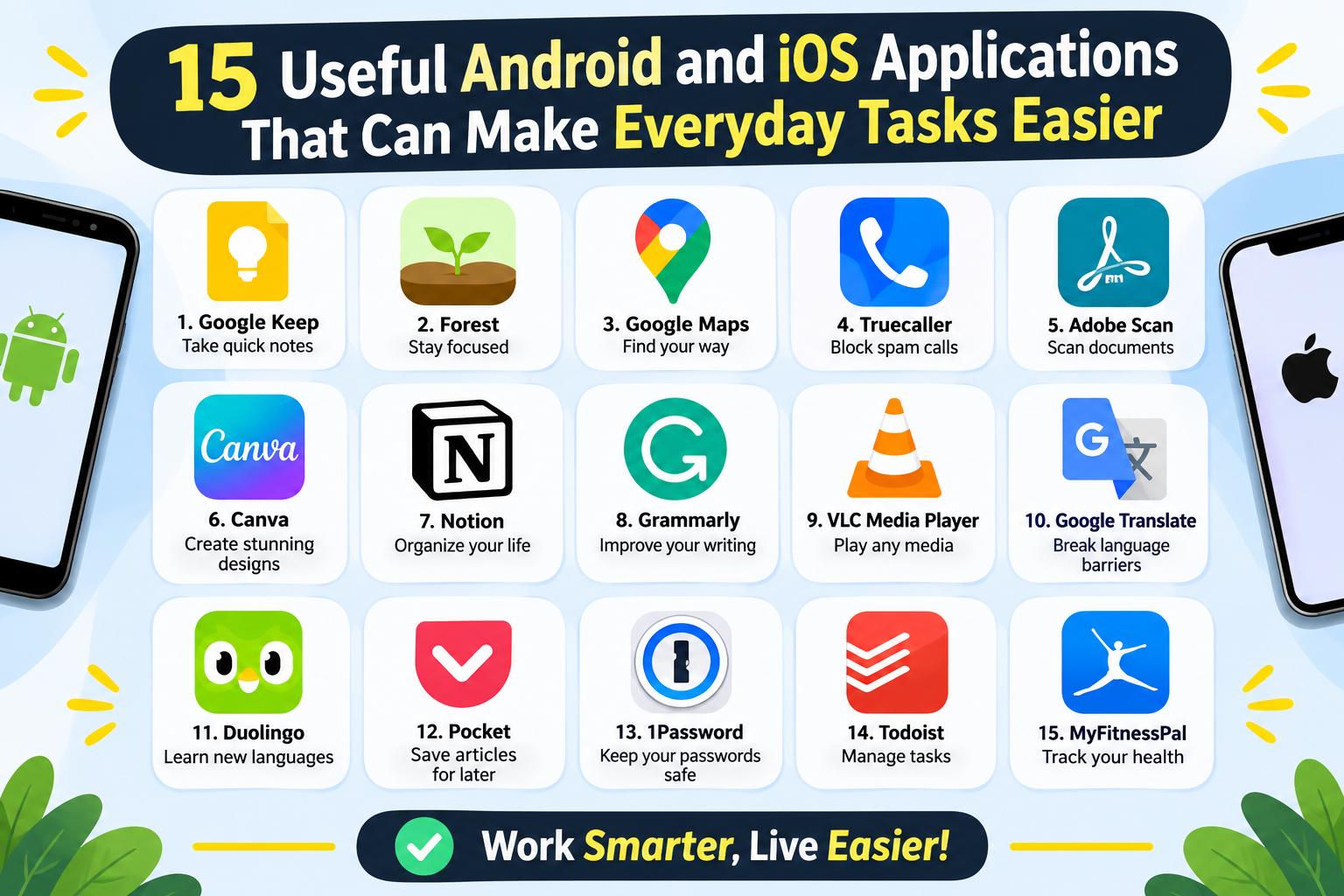
- 15 Useful Android and iOS Applications That Can Make Everyday Tasks Easier
-
 Health - 11:01:50pm 15-11-2026
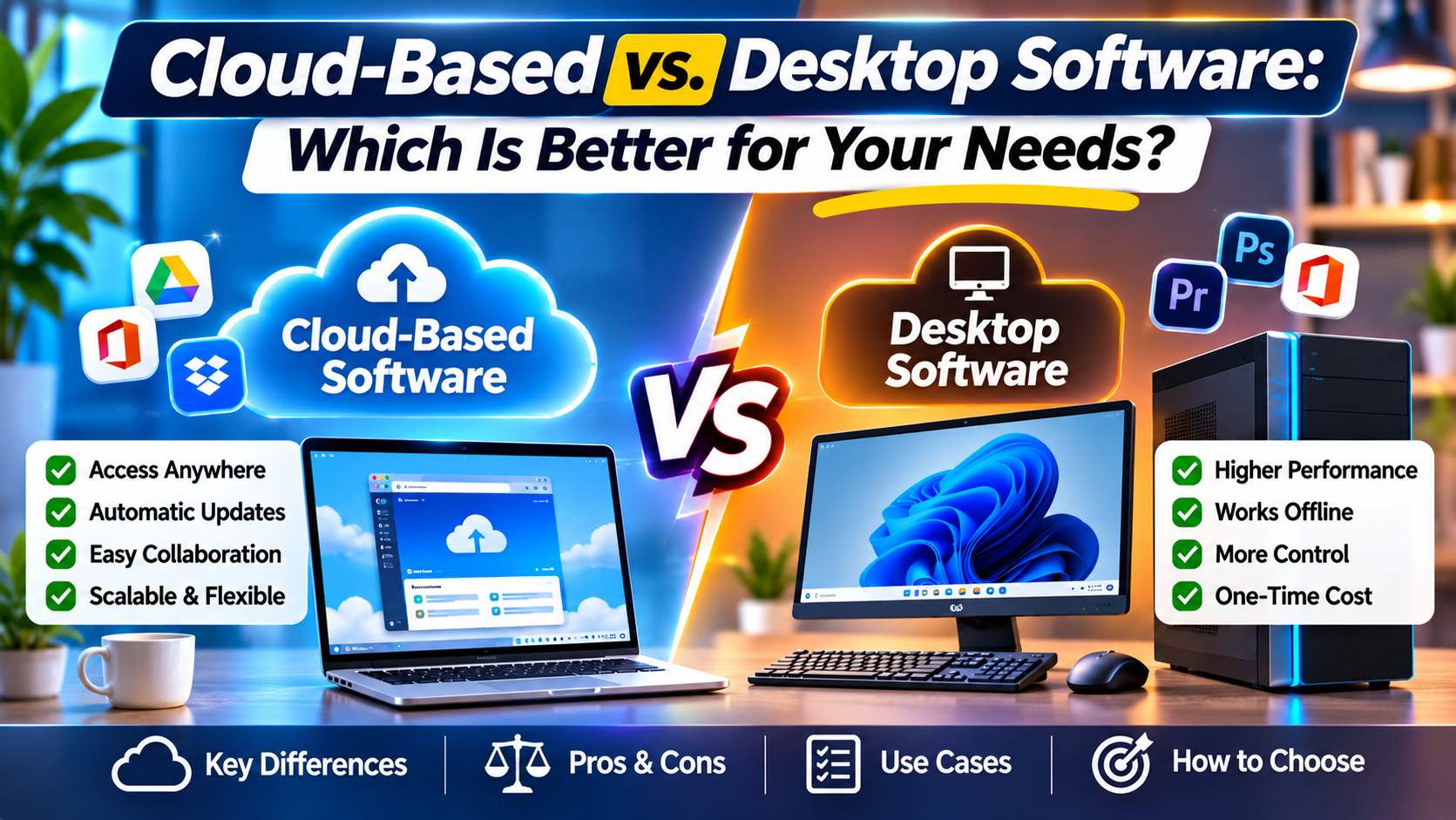
- Cloud-Based vs. Desktop Software: Which Is Better for Your Needs?
-
Health - 10:58:07pm 15-11-2026
-
 Blog
What Is the Best Cheap Car Insurance for Young Drivers
-
 Blog
Best Car Insurance for Electric Vehicles (EVs): Complete Guide for 2026
-
 Blog
Long Term Car Rental Discounts: The Complete Guide to Saving Big on Extended Rentals
-
 Blog
Health Insurance Exclusions: What to Check Before You Buy
-
 Blog
Health Insurance Waiting Period: What You Should Know Before Buying a Policy