-
Cetagory
Software & Applications
How to Choose the Right Software for Your Business: A Beginner's Guide
- Admin
Choosing the right business software can reduce repetitive work, improve coordination, and make essential information easier to manage. The best choice is not necessarily the platform with the longest feature list or the most familiar brand. It is the software that solves a clearly defined business problem, fits the way your team works, meets appropriate security and compliance needs, and remains practical to own over time.
This beginner’s guide explains how to choose business software in a structured way. You will learn how to identify requirements, compare software types and deployment models, estimate the total cost, assess vendors, run a useful trial, and prepare your team for adoption. The process applies whether you are buying your first accounting tool or replacing a system that no longer supports your business.
What Does Business Software Do?
Business software is an application or platform that helps an organization perform, coordinate, or manage work. It may support a specific task, such as invoicing, or connect several activities, such as sales, customer service, and reporting.
Some tools are designed for a single purpose. Others combine multiple functions or connect to other applications. Examples include accounting software, customer relationship management (CRM) systems, project management tools, payroll platforms, inventory systems, and enterprise resource planning (ERP) software.
Software can help standardize processes and reduce manual data handling, but it does not automatically fix unclear responsibilities or inefficient procedures. A useful selection process begins with the work that needs improving—not with a product demonstration.
Start With the Business Problem
Write down the problem in plain language before comparing products. “We need better software” is too broad to guide a decision. “Staff re-enter customer details in three systems, which creates delays and inconsistent records” identifies a process, a pain point, and a possible outcome.
Describe how the work happens now, who does it, what information they use, and where errors or delays arise. Separate symptoms from root causes: a late report might result from missing data, unclear approvals, or a tool that cannot produce the required report.
Map the current process
Choose one process at a time and document its main steps. For example, a small service business might record a lead, prepare a proposal, schedule work, issue an invoice, and follow up on payment. Note which people and tools are involved at each step.
Look for recurring handoffs, duplicate entry, workarounds, and tasks that depend on one person’s memory. These observations help you decide whether software should automate a step, make information visible, or simply provide a more reliable place to record it.
Set measurable outcomes
Define what a successful purchase would improve. You might aim to reduce the time needed to prepare monthly reports, make it easier to find customer records, or ensure staff use the same approval process. Where practical, record a baseline before implementation so you can compare later.
Keep the measures realistic. Not every benefit can be expressed as a precise financial return, especially before you have experience with the new system. Use a mix of operational indicators, such as completion time or error frequency, and user feedback.
Identify the Type of Software You Need
The right category depends on the process you want to improve. Avoid buying a broad platform simply because it includes many capabilities; a focused application may be easier to implement and maintain.
Common business software categories
- Accounting and invoicing: Record transactions, manage invoices, and support financial reporting. Tax, payroll, and reporting functions vary by product and jurisdiction.
- Customer relationship management: Organize customer and prospect information, sales activity, and follow-up. A CRM is most useful when staff agree on how records should be maintained.
- Project and task management: Assign work, track responsibilities, and make progress visible across a team.
- Human resources and payroll: Support employee records, scheduling, payroll workflows, or hiring. Requirements vary by location and company size.
- Inventory and order management: Track stock, purchasing, and order fulfillment. The fit depends on how products are stored and sold.
- Communication and collaboration: Support messaging, meetings, shared documents, or team coordination.
- ERP platforms: Connect several operational functions, which can be useful when a business has complex processes and sufficient implementation capacity.
These categories overlap. A small platform may offer invoicing and basic customer records, while a larger suite may connect finance and inventory. Compare the specific workflows you need rather than relying only on category labels.
Choose Between Specialized Tools and an All-in-One Platform
A specialized tool may provide deeper support for one task and be simpler to adopt. An all-in-one platform may reduce the number of separate systems and provide shared records, but its individual modules may not suit every team equally well.
Consider the cost of managing connections between separate tools. Integrations can reduce duplicate entry, but they may require setup, maintenance, or additional subscriptions. Conversely, a single suite can create a dependency on one provider and may make it harder to replace one function later.
Compare products against the same real-world workflows. Ask whether the system can handle the work as it is performed, what staff would still need to do manually, and how information moves to other tools. A simpler system that reliably covers core needs may be a better fit than a complex suite that the team cannot use consistently.
Turn Needs Into Clear Requirements
Requirements help you compare products fairly. Separate essential capabilities from desirable ones, and describe them as tasks or outcomes rather than vague feature requests.
Write requirements as practical tasks
Instead of “needs reporting,” write “a manager can review monthly sales by service type and export the result in a usable format.” Instead of “needs automation,” specify the step to automate, the event that triggers it, and who should be notified.
Include different roles in this exercise. A business owner, administrator, frontline employee, and finance lead may use the same software differently. Ask each person to describe the tasks they must complete and the information they need.
Prioritize must-haves and preferences
Mark each requirement as essential, important, or optional. An essential requirement is one the business cannot reasonably work around, such as a necessary integration or a location-specific payroll capability. Optional preferences should not outweigh a product’s shortcomings in a critical workflow.
Also identify constraints: budget range, implementation deadline, number of users, supported devices, accessibility needs, languages, and whether staff work across locations. Constraints make a shortlist more realistic and help prevent time spent evaluating unsuitable products.
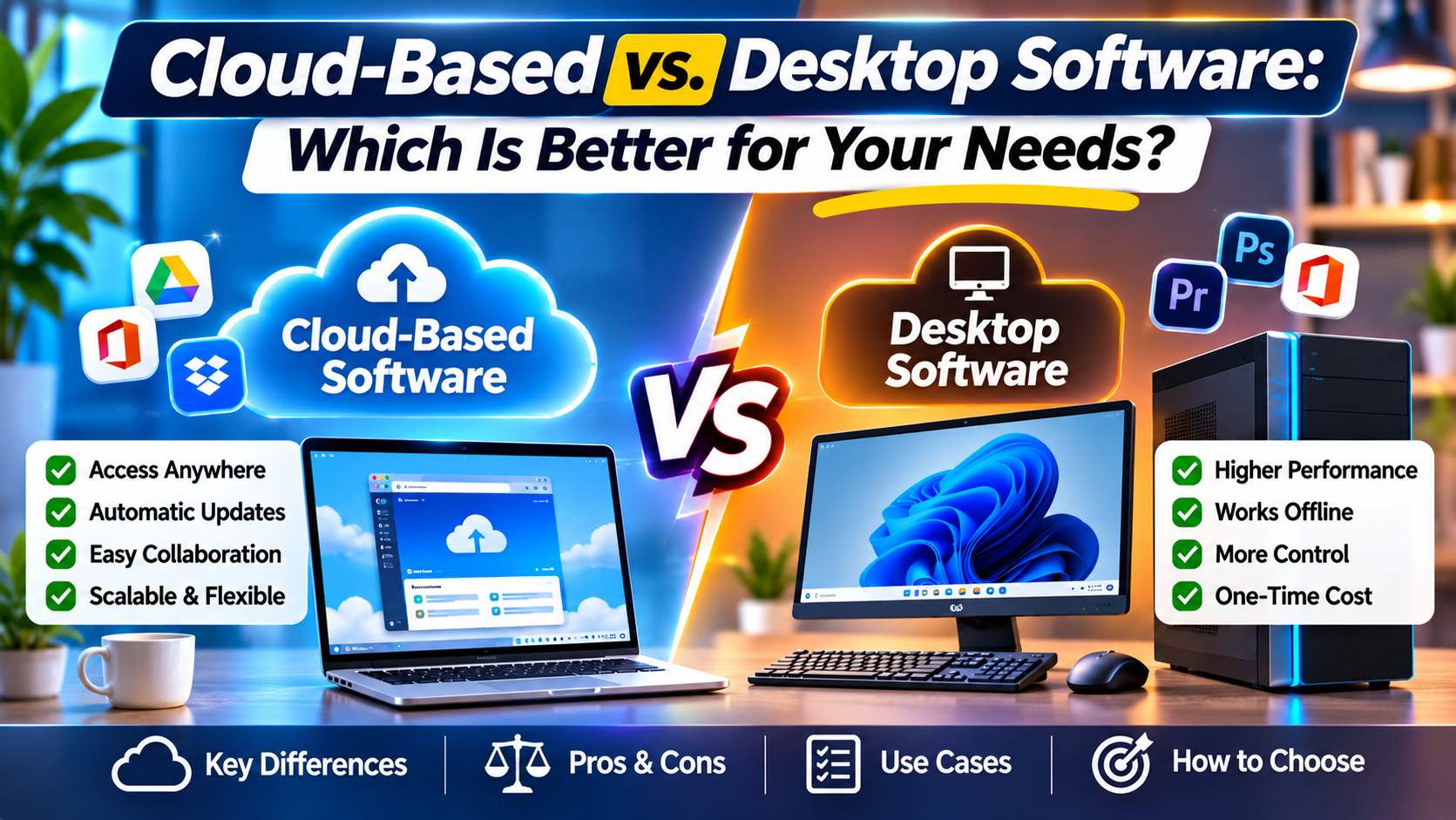
Compare Cloud Software With On-Premises Software
Many business tools are delivered through the cloud, while some are installed and managed on an organization’s own computers or servers. The distinction affects maintenance, access, cost structure, data handling, and responsibility for technical operations.
Cloud software is generally accessed over the internet and hosted by the provider or its infrastructure partners. It can make remote access and provider-managed updates easier, but it depends on the service’s availability, internet access, contract terms, and the vendor’s security practices.
On-premises software is installed on equipment controlled by the business or its service provider. It may offer more direct control over the environment, but the organization may need to manage infrastructure, backups, updates, and technical support. The actual division of responsibility varies by product and arrangement.
Neither model is automatically more secure or more appropriate. Review where data is stored, how it is protected, who can access it, how backups and recovery work, and what happens if the service ends. For regulated or sensitive information, confirm applicable requirements with a qualified adviser.
Estimate the Total Cost of Ownership
The listed subscription or purchase price is only one part of the cost. Estimate the total cost of ownership over a period that makes sense for your business, such as the expected contract term or a planned review point.
- Licensing or subscription: Check whether pricing is per user, feature tier, transaction, location, or another measure.
- Setup and migration: Include configuration, data cleanup, conversion, and any professional services.
- Training and internal time: Account for the time employees spend learning the system and adapting workflows.
- Integrations: Consider setup, connector fees, and ongoing maintenance where relevant.
- Support and upgrades: Confirm what is included and whether enhanced support costs extra.
- Devices and infrastructure: Some tools require compatible hardware, network changes, or extra storage.
- Exit costs: Understand data export, contract termination, and transition requirements.
Ask vendors to explain how charges may change as usage grows. A low starting price can become less attractive if required features are available only in a higher tier, or if the business later adds users, locations, or transaction volume. Do not assume that the most expensive option will deliver the best value; compare costs with the outcomes and effort involved.
Assess Usability and Accessibility
Software is only useful if the people responsible for the work can use it consistently. A product may look straightforward in a sales presentation yet feel confusing when staff perform their daily tasks.
During a trial, ask representative users to complete typical activities without step-by-step assistance. Watch where they hesitate, make mistakes, or rely on workarounds. Check whether the interface works on the devices the team actually uses, and whether common tasks require excessive navigation.
Consider accessibility as part of usability. Depending on your users and obligations, review keyboard operation, readable text, screen-reader support, captioning, and other relevant features. Ask the vendor for documentation rather than assuming that a claim of accessibility covers every user need.
Review Security, Privacy, and Compliance
Business software may store employee, customer, financial, or operational information. Before selecting a product, understand the type of data it will handle and the controls available to protect it.
Ask how the product manages user permissions, authentication, encryption, backups, security updates, and incident communication. Find out whether you can restrict access by role and remove access promptly when a staff member leaves. Request clear documentation on data hosting and subprocessors where relevant.
Privacy and compliance obligations depend on the data, the organization, and the jurisdictions involved. A vendor’s marketing statement is not a substitute for assessing your own responsibilities. If the system will process regulated or sensitive information, consult appropriate legal, privacy, or security professionals before committing.
Questions to ask about data and security
- What information does the product collect, store, or share?
- Can the business control user roles and permissions?
- How can data be exported, corrected, retained, or deleted?
- What backup and recovery arrangements are available?
- How does the provider communicate service interruptions or security incidents?
- What happens to business data when a contract ends?
Answers should be specific enough for your needs. If a vendor cannot explain an important security or data-handling practice, treat that gap as a risk to resolve rather than filling it with assumptions.
Check Integrations and Data Portability
Most businesses use more than one application. Check whether the software connects to the tools you already rely on, such as accounting, payment, communication, or inventory systems. Confirm what the connection actually does; an integration may transfer only certain fields or update information on a limited schedule.
Ask whether integrations are maintained by the software provider, a third party, or your own technical team. Consider the consequences of a connection failing, and decide whether critical work can continue temporarily without it.
Data portability matters even when you expect to stay with a vendor. Find out what formats are available for exports, whether attachments and historical records are included, and whether you can access your information without extra services. A clear exit route reduces the difficulty of changing systems later.
Evaluate the Vendor and Support
Software selection also involves assessing the provider behind the product. Review how the vendor handles updates, support requests, product changes, and service interruptions. Look for current documentation, clear terms, and explanations that match your business needs.
Ask how support is delivered and when it is available. Check the response arrangements for issues that would stop essential work, and distinguish guaranteed contract terms from general marketing language. For a small business without internal IT staff, the quality and accessibility of support may be especially important.
Consider the product’s fit for your organization, not just the vendor’s reputation. A well-known brand may have broad capabilities that are unnecessary for a small team, while a smaller provider may offer a closer fit but require more careful assessment of support and continuity arrangements.
Build a Shortlist and Compare Options
Use your requirements to narrow the market to a manageable shortlist. A shortlist of a few credible options is easier to evaluate consistently than a long collection of products selected from advertisements or search results.
Create a comparison sheet using the requirements that matter most. Record evidence, not impressions: whether a workflow was demonstrated, whether a feature requires an upgrade, and what the vendor said about data export. Mark unknowns clearly and follow up before making a decision.
| Evaluation area | What to compare | Useful evidence |
|---|---|---|
| Core workflows | Can users complete essential tasks without unnecessary workarounds? | Demonstration using your scenarios or a structured trial |
| Cost | Subscription, setup, training, integrations, and exit considerations | Written pricing and a realistic cost estimate |
| Security and data | Access controls, data handling, export, and recovery arrangements | Vendor documentation and contract terms |
| Usability and support | Learning effort, accessibility, support channels, and response arrangements | Trial feedback and written support information |
Do not let a polished demonstration replace a requirements check. Ask each vendor to show the same scenarios, including exceptions and routine administrative tasks. This makes comparisons more consistent and reveals where a product depends on manual work or additional services.
Run a Trial or Pilot That Tests Real Work
A trial or pilot can reveal practical issues that are difficult to spot in a feature list. Before starting, define what you want to test, who will participate, what data can safely be used, and how you will judge the results.
- Select representative workflows. Choose common tasks and at least one realistic exception, such as correcting a record or handling an approval.
- Use appropriate test data. Follow your organization’s privacy and security rules; do not upload sensitive information to an evaluation account without approval.
- Include intended users. Involve staff with different roles and levels of software confidence.
- Record observations. Note completion time where useful, errors, questions, missing functions, and workarounds.
- Review the results against requirements. Separate fixable configuration issues from fundamental product limitations.
Agree on a decision process before the trial ends. A pilot is not a success merely because users like the appearance of the product. It should provide evidence about whether the software supports key work, fits the budget and controls, and can be adopted with a realistic level of effort.
Plan Implementation Before You Buy
Implementation includes more than creating user accounts. It may involve configuring workflows, cleaning and migrating data, setting permissions, connecting other systems, training users, and deciding how the old process will be retired.
Name an internal owner who can coordinate the work and make decisions. This person does not need to be a technical specialist, but should understand the business objectives and know who can answer operational, financial, and security questions.
Prepare data and processes
Review the information that will move into the new system. Remove duplicates where appropriate, correct obvious errors, and decide which historical records need to be retained. Poor source data can undermine a new system even when the software itself works well.
Do not copy every old process by default. Some steps may exist only because the previous tool lacked a capability. Confirm the required controls and outcomes, then design a process that users can follow consistently.
Train users and set expectations
Training should reflect each person’s role. A manager who reviews reports may need different guidance from an employee who enters orders. Provide clear instructions for routine tasks, explain where to get help, and make it safe for users to report problems during the transition.
Rollout can be phased when that reduces risk, but the approach depends on the business. Decide in advance how long old and new systems will overlap, which one is the official source of information, and how errors will be corrected.
Measure Results After Launch
Once the system is in use, review whether it is achieving the outcomes you defined. Check adoption, process completion, data quality, support requests, and user feedback. Compare results with your baseline where available, while recognizing that changes in workload or staffing can affect the comparison.
Use findings to adjust configuration, training, or the process itself. If a critical requirement remains unmet, identify whether the cause is a setup issue, a training gap, or a product limitation. A scheduled review also helps you decide whether to expand use, maintain the current setup, or reconsider the choice.
Common Business Software Selection Mistakes
- Choosing based on features alone: A long list does not prove that a tool supports your actual workflow. Test important tasks.
- Ignoring the people who will use it: Excluding staff can lead to a poor fit and low adoption. Include representative users early.
- Underestimating the full cost: Add implementation, training, integrations, and exit considerations to the price comparison.
- Assuming every integration works the same way: Confirm which information moves, how often it updates, and who maintains the connection.
- Over-customizing too soon: Extensive changes can increase cost and make future updates more difficult. Start with essential needs.
- Skipping data and security checks: Confirm access, export, retention, and handling practices before entering business information.
- Buying for hypothetical future needs: Avoid paying for complexity that has no clear business case. Consider growth, but distinguish likely needs from speculation.
- Failing to plan the transition: Set ownership, training, data preparation, and support expectations before rollout.
A Practical Decision Checklist
Before signing an agreement, confirm that you can answer these questions:
- What specific problem is the software intended to solve?
- Which requirements are essential, and which are preferences?
- Have the people who will use it tested realistic tasks?
- Do the full costs and contract terms fit the budget and time horizon?
- Are security, privacy, data export, and relevant compliance needs understood?
- Will required integrations work as expected, and who will maintain them?
- Is there a clear plan for setup, migration, training, and support?
- How will the business measure whether the purchase is working?
If important answers remain unclear, pause and resolve the gaps. A careful delay is usually less disruptive than committing to a system that cannot support a critical task or whose operating costs and responsibilities are poorly understood.
Frequently Asked Questions
How do I choose business software for a small business?
Start with one business problem and document the steps, people, and information involved. Set a realistic budget, list essential requirements, and compare a small number of suitable products. Test common workflows with the people who will use the software, then check total costs, support, security, integrations, and data export before committing.
Should a business choose cloud or on-premises software?
There is no universal answer. Cloud software is commonly managed by a provider and accessed online, while on-premises software gives the organization more direct responsibility for its operating environment. Compare access needs, technical resources, availability, data handling, contract terms, and applicable obligations. Assess the specific product and arrangement rather than assuming one model is always safer.
How much should a business spend on software?
Set a budget based on the problem’s importance and the resources available, then evaluate the full cost rather than the advertised subscription alone. Include setup, migration, training, integrations, support, and possible exit costs. Compare those costs with realistic operational benefits, and ask how fees may change as users or usage grow.
How many software products should a business compare?
There is no fixed ideal number. A shortlist of a few products that meet essential requirements is usually easier to assess carefully than a large, unfocused list. Include credible alternatives, test the same workflows, and document unknowns. If none meet a must-have requirement, expand the search rather than relaxing a critical need without discussion.
What should I test during a software trial?
Test the tasks staff perform most often, a realistic exception, reporting, permissions, and any important integrations. Include users from relevant roles and use approved test data. Record errors, workarounds, training needs, and missing capabilities, then compare the findings with your requirements and implementation plan. A trial should assess practical fit, not just appearance.
Conclusion
Choosing the right software for your business begins with understanding the work that needs to improve. Clear requirements make it easier to compare products, assess costs, test real workflows, and identify security or data concerns before they become obstacles.
Involve the people who will use the system, verify vendor claims with practical evidence, and plan for implementation as carefully as the purchase itself. The strongest choice is the one your organization can use, support, and review over time—not simply the one with the most features.
- 15 Useful Android and iOS Applications That Can Make Everyday Tasks Easier
-
 Health - 11:01:50pm 15-11-2026
- Cloud-Based vs. Desktop Software: Which Is Better for Your Needs?
-
Health - 10:58:07pm 15-11-2026
-
 Blog
What Is the Best Cheap Car Insurance for Young Drivers
-
 Blog
Best Car Insurance for Electric Vehicles (EVs): Complete Guide for 2026
-
 Blog
Long Term Car Rental Discounts: The Complete Guide to Saving Big on Extended Rentals
-
 Blog
Health Insurance Exclusions: What to Check Before You Buy
-
 Blog
Health Insurance Waiting Period: What You Should Know Before Buying a Policy